Get Started with Pure Blog
Getting started with your very own Pure Blog consists of a just a few steps:
- Download the latest source code
- Upload it to your sever
- Enjoy!
Pretty simple, huh?
It's VERY important that you upload the .htaccess file to the root of your Pure Blog installation. If that's missing, no pages or posts will work.
Hosting requirements
Pure Blog has very light requirements and runs on most shared hosting:
- PHP 8.1 or newer
- A standard web server (Apache or Nginx)
- Write access to these folders:
/config/content/data
Required PHP extensions:
mbstring(used for things like excerpt generation and search)xml(used for Markdown rendering)
Recommended PHP extensions:
curl(used for update/release checks in admin)zip/ZipArchive(used for one-click updates in admin)
If you're using Nginx rather than Apache, you will also need php-fpm configured to process PHP.
Once you have uploaded Pure Blog to your server, visit the domain you configured your site to work with and you will see the setup screen, which looks like this:
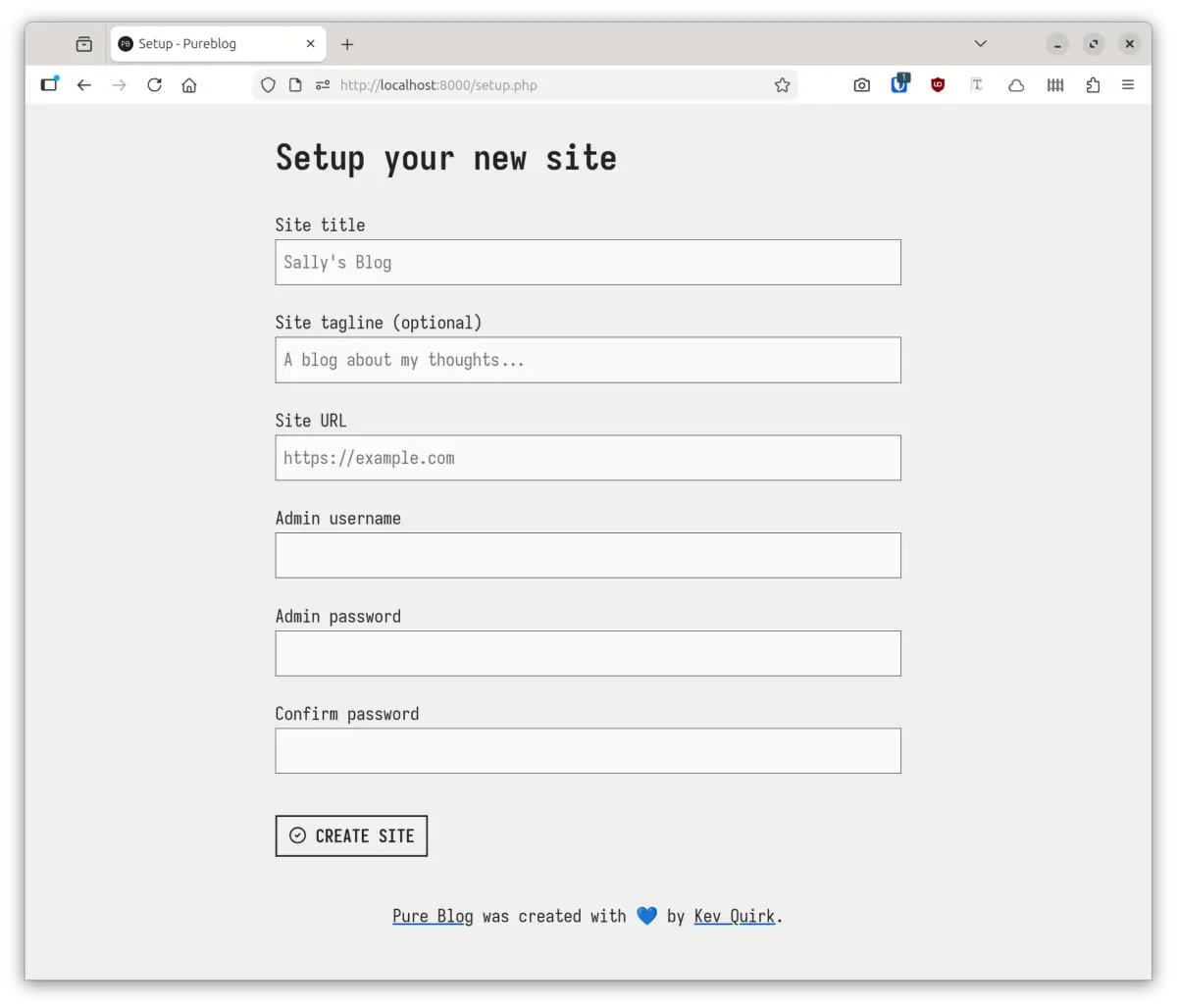
All you need to do now is fill in the setup form, hit CREATE SITE and you're ready to start blogging. Here's some info on what the fields are:
- Site title: this is the title of your blog. If can be your name, or something creative.
- Site tagline: this is a small piece of text that will show beneath the name of your blog, in the site header. For example, the tagline on this site is "A simple PHP based blogging platform." This field is optional; if you choose not to set it, it will be ignored.
- Site URL: this is the address of your blog. For example
https://pureblog.org. - Admin username: the username you will use to login to the admin portal.
- Admin password: the password you will use to login - make sure it's a secure one!
Once the form is complete, you can login to your fresh new Pure Blog and begin adding content!
Here's a quick video that walks through what we covered in this post: