How to Write Content
Now that you've setup your site, it's time for the fun part - writing content!
Luckily for you, Pure Blog includes a simple Content Management System (CMS) to help you write all those lovely thoughts swirling around your grey matter.
Login
The first thing you need to do is login to the Pure Blog CMS. To do this, you visit /admin and login with the credentials you set when you setup Pure Blog.
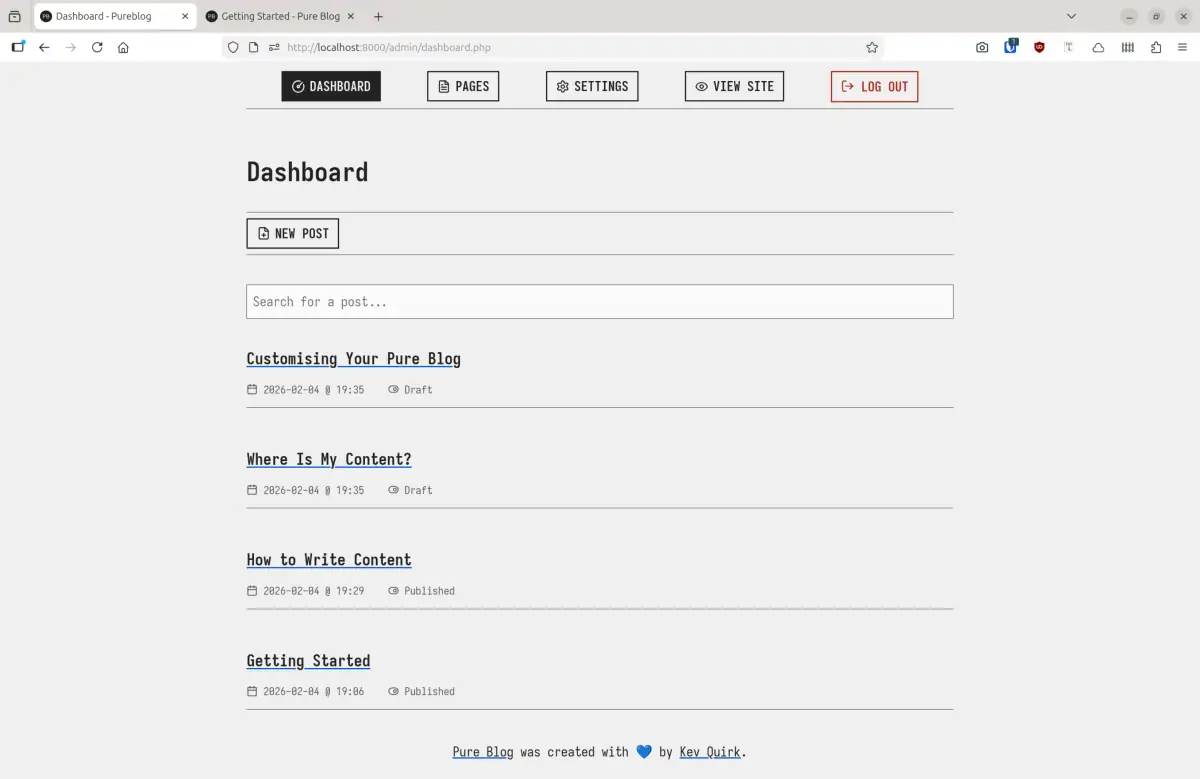
Once logged in you will be taken to the dashboard, which is a lost of all the blog posts your written. Obviously on a new blog your dashboard will be empty, but I hope you fill it up quickly!
Draft posts will always be listed at the top of your dashboard.
Write a new post
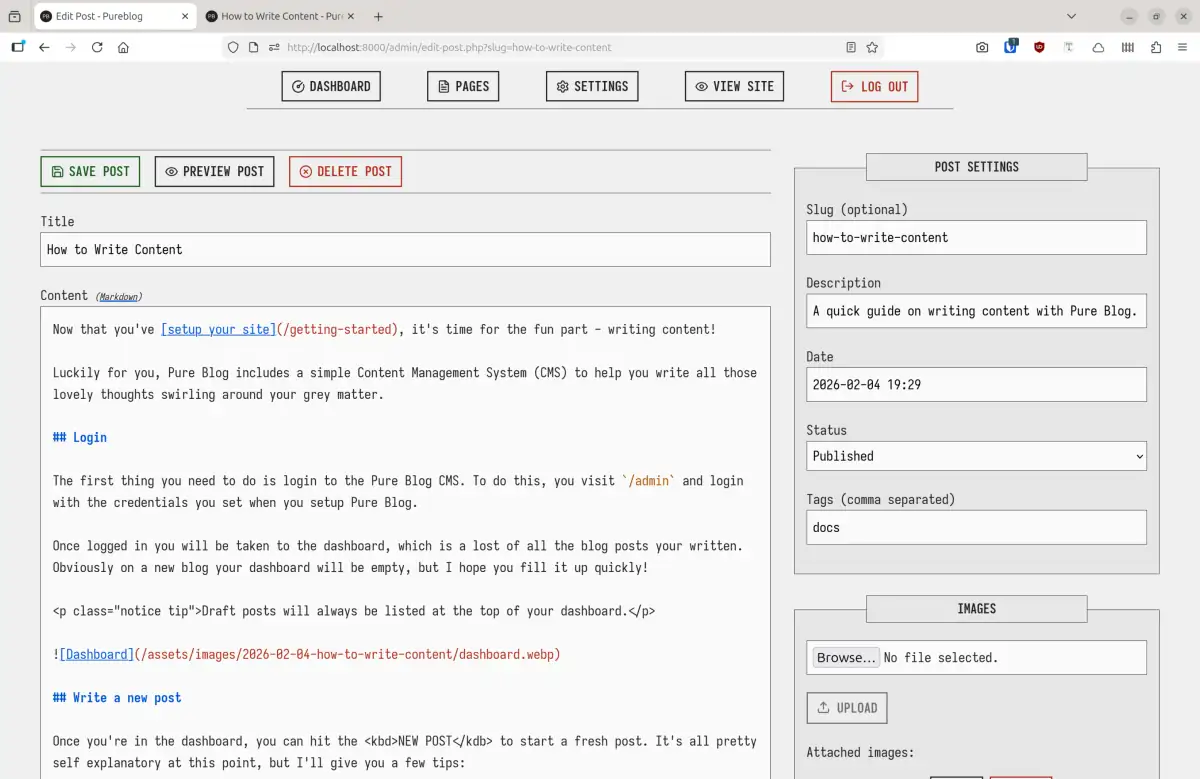
Once you're in the dashboard, you can hit the NEW POST to start a fresh post. It's all pretty self explanatory at this point, but I'll give you a few tips:
- The Content window supports both Markdown and plain HTML. If you're not familiar with how Markdown works, this reference guide should help.
- The Slug is the URL of your post and will be automatically set. If you want to change it to something different, you can.
- The Description is used to give you post a HTML meta description.
- The Status field tells Pure Blog whether the post is ready for prime time.
Draftposts are not visible on the site, but can be previewed from the editor.Publishedposts are publicly available for the world to enjoy.
If Pure Blog detects that you've used a slug elsewhere on your site, it will append a number so the URL doesn't duplicate.
Here's what this post looks like in the Pure Blog CMS:
Managing images
There's 2 ways in which you can add images to your content. You can use the image uploader, which is found in the editor sidebar. Simply click on the
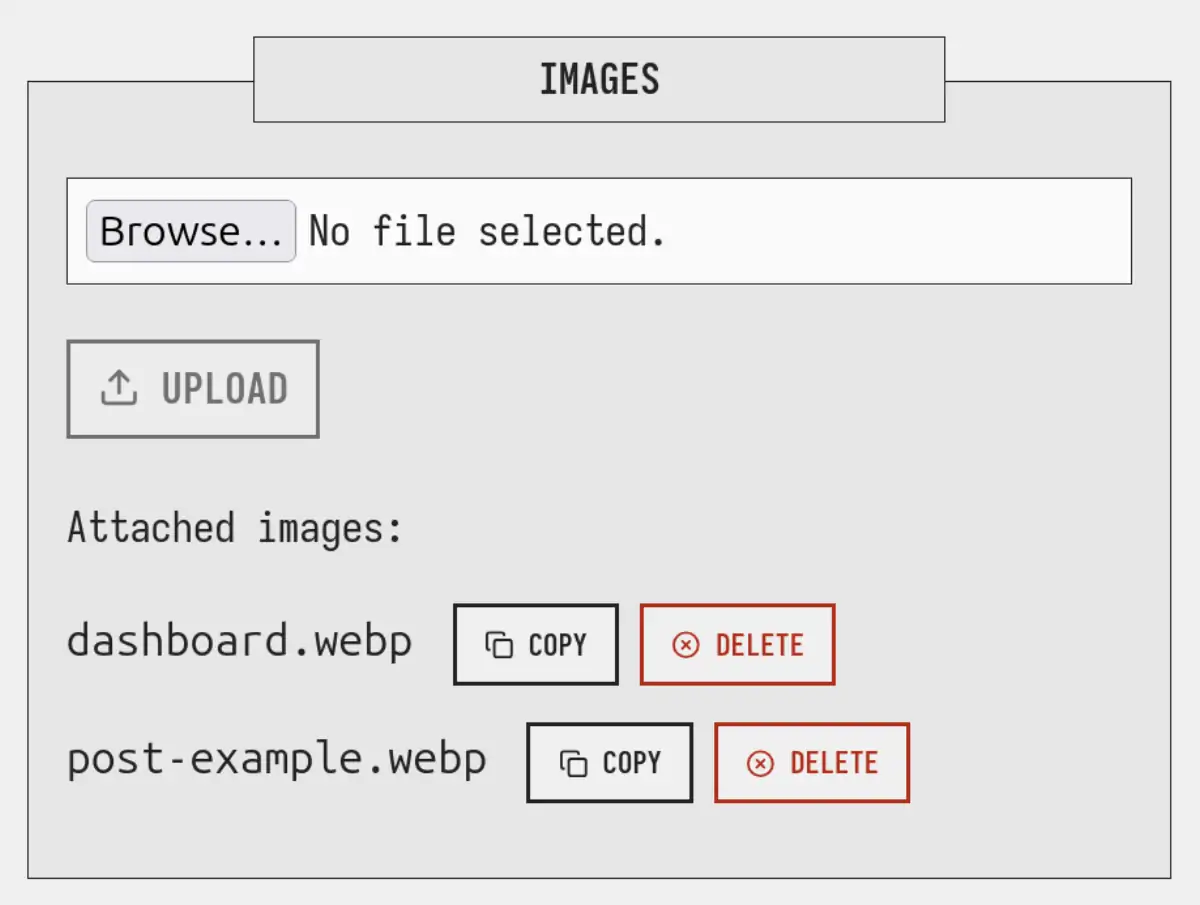
From there you can delete any images, or click the COPY button to copy the correct Markdown for that image to your clipboard. Then, head to the main content area, find where you want the image to be inserted, and paste in the Markdown.
Ta daaa! You image has been inserted.
The other way of doing it is to simply drag and drop the image from your computer, into the content area. Pure Blog will automatically upload the image for you, and add the Markdown where ever your cursor was.
Creating a page
Creating a page is pretty much exactly the same as creating a post, except you go to the Pages part of the CMS and hit the NEW PAGE button there.
Pages don't have a tag field as pages cannot be tagged. There is an additional option for adding your page to the site's navigation menu.
Here's a video that walks through what we covered in this post: